Practise the Job, Not Just the Interview: Job Simulations in PrepMe
Sam · 27 November 2026 · 3 min read
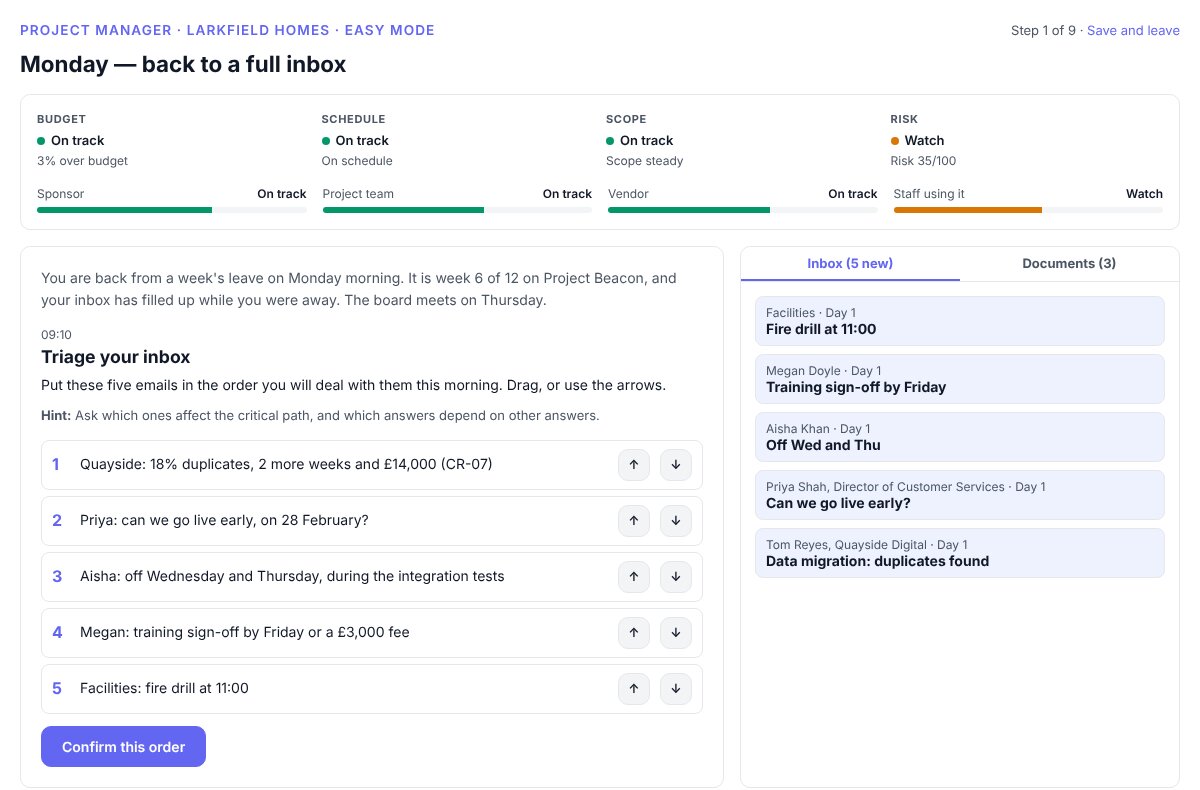
"Tell me about a time you had to manage a project that was slipping." Most of us answer that kind of question from memory, and if we have never been in that exact spot, we answer it badly. Practising interview answers helps. Practising the work itself helps more.
PrepMe, the interview practice app that opens from RMP, now has job simulations: a working week at a fictional company, played step by step, with a report at the end.
A week of real work
Each simulation drops you into a situation with documents to read and an inbox that fills up through the week. There are two to start with:
- The CRM rollout is slipping: you are the project manager, it is week six, and the brief, the status report and the risk log don't agree. Change requests arrive, a stakeholder wants to go live early, and you decide.
- Should we automate supplier invoices?: you build the business case, from how invoices are handled today to a supplier's quote and an IT estimate, and make a recommendation you can defend.
Along the way you triage an inbox, take decisions, work out the numbers, write the emails and updates, fill in tables, and talk to stakeholders, who are played by AI from their brief and the scenario's facts only.
Your choices have consequences
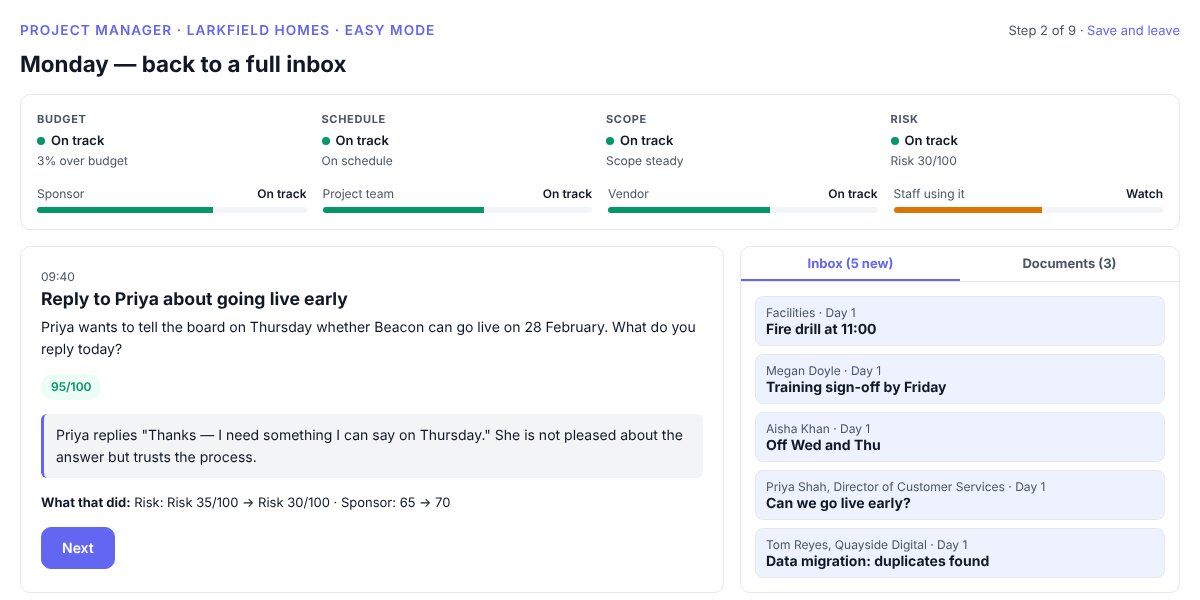
Your decisions move the project's health through the week: budget, schedule, scope, risk and how each group of people feels about you. Get a decision wrong on Monday and you deal with it on Wednesday.
Marked fairly
Orders, calculations and picked decisions are marked exactly, with no AI involved. Written work, tables and conversations are marked by AI against a fixed list of points for that step: the AI only says which points you met, and your score is the share you met. If the AI can't be reached, the step is shown as not marked rather than zero, and you can mark it again.
Stories for your interview
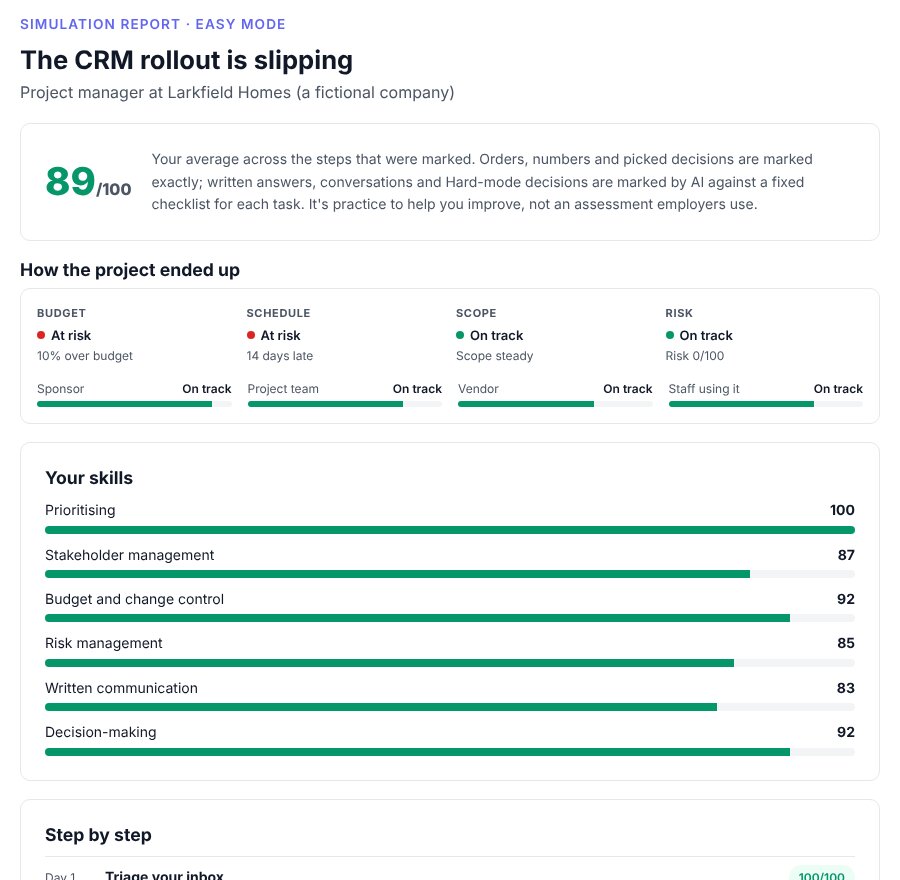
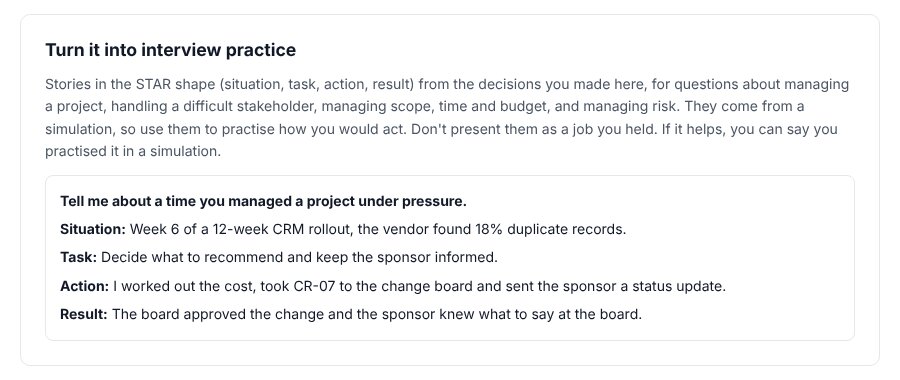
The report shows how you did and turns what you actually did into interview stories. They use only your own actions in the simulation, and the report says plainly that they come from a simulation, so you know what you're drawing on and can say so if asked.
A simulation written for your job
PrepMe can also write a simulation for the job you're preparing for, from its advert or just a job title. When PrepMe already has the job (because you opened it from RMP), it builds one by itself, once per job. The AI's work is checked rather than trusted: answers to calculations are worked out by PrepMe from the scenario's own figures, every number must appear in the scenario's facts, each decision must have one clearly best option, and the company is always fictional, never the employer in the advert.
How to get there
On RMP, open a job from Results, Applications or History and press Prepare for this interview. PrepMe opens signed in as you. Choose Job simulation on its start page.
Share this
Interviewers ask what you would do. PrepMe's new job simulations let you actually do it: a working week at a fictional company, with real decisions, real numbers and stakeholders who answer back,…
Post on X Share on LinkedIn